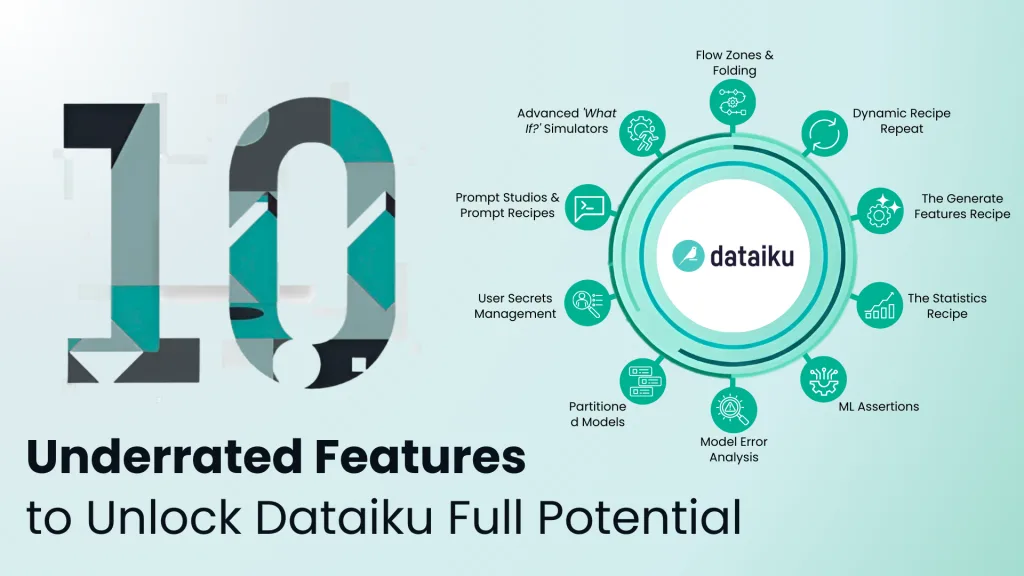
10 Underutilized Dataiku Features That Will Supercharge Your Analytics Workflows
Dataiku is an incredibly powerful platform for everyday AI, but are you truly using it to its full potential? Many teams master the basics of visual recipes and model building, but soon hit a wall. Their projects become complex, workflows get messy, and scaling their AI initiatives feels like an uphill battle. The truth is, some of Dataiku’s most game-changing features are often the most underutilized.
As a dedicated Dataiku service partner, we at DataCouch have guided countless teams past this plateau. We’ve seen firsthand how moving beyond the default settings and embracing advanced capabilities can transform a good analytics practice into a great one. This guide is your inside look into the features that separate the pros from the beginners. We’re here to train you smart junior marketer or budding data analyst, on how to unlock the next level of efficiency, governance, and power in your Dataiku projects.
Enterprise-Scale Project Management & Automation
Before you can build advanced models, you need a solid, scalable foundation. These features are about bringing order to chaos and automating the repetitive tasks that slow your team down.
1. Flow Zones & Folding
The Problem: Why Your Project Flow Looks Like Spaghetti
As your project grows, the Dataiku Flow can quickly become a tangled mess of hundreds of datasets and recipes. New team members get lost, debugging becomes a nightmare, and understanding the high-level architecture is nearly impossible. This “spaghetti flow” isn’t just ugly; it’s a major source of technical debt and inefficiency.
The Supercharged Solution: How Flow Zones Bring Order
Flow Zones are visual containers that let you group related parts of your Flow into logical, collapsible sections. Think of them as folders for your workflow.
How to implement it:
- Create Zones: At the top of your Flow, click the + Zone button. A best practice is to create zones that mirror your project’s lifecycle, like 01_Data_Ingestion, 02_Feature_Engineering, and 03_Model_Training.
- Organize Your Items: Select a group of related recipes and datasets, right-click, and move them into the appropriate zone.
- Collapse and Fold: Click the collapse icon on a zone’s header to hide its internal complexity, showing only the inputs and outputs. For an even cleaner view, right-click a dataset and use
- Flow Folding to hide everything upstream or downstream, letting you focus only on what’s relevant.
Use Case in Action
An MLOps team manages a critical fraud detection pipeline. By organizing it into zones like Data_Sources, Transaction_Cleaning, Model_Training, and Scoring_API, a new engineer can immediately grasp the project’s structure. When they need to debug, they can simply maximize the Transaction_Cleaning zone to focus on that specific part of the pipeline without any distractions.
The Business Impact
Properly architecting your Flow with zones isn’t just about tidiness. It dramatically reduces cognitive overhead, accelerates onboarding for new team members, and makes complex pipelines governable at scale.
2. Dynamic Recipe Repeat
The Problem: You're Manually Creating Reports for Every Region
A common headache is running the same workflow for different parameters—for example, generating a separate sales report for each of the 50 states. The typical solution of cloning the workflow 50 times is a maintenance disaster waiting to happen.
The Supercharged Solution: This One Feature Automates Hours of Manual Work
Dynamic Recipe Repeat allows a single recipe (like an Export or SQL query) to run iteratively, with its parameters dynamically populated from a separate “parameters” dataset. It’s like creating a “for loop” directly in your Flow.
How to implement it:
- Create a Parameters Dataset: Make a simple dataset where each row contains the parameter for one run. For our example, this would be a dataset with one column, state_name, containing 50 rows for each state.
- Enable Repeating: In your Export recipe, go to the Advanced tab and enable “Dynamic recipe repeat.” Select your parameters dataset.
- Use Dynamic Variables: The column names from your parameters dataset are now available as variables. Use ${state_name} to filter your data (state == ‘${state_name}’) and to name your output file (sales_report_${state_name}.csv).
Use Case in Action
A marketing team needs to generate performance reports for 200 different ad campaigns. Instead of 200 manual runs, they create a parameters dataset with 200 campaign_ids. A single Export recipe with Dynamic Recipe Repeat enabled generates all 200 campaign-specific CSVs in one click.
The Business Impact
This feature transforms repetitive, mind-numbing tasks into fully automated, scalable workflows. It’s the key to building efficient pipelines that can handle a massive number of parameters without a corresponding explosion in Flow complexity.
Advanced Data & Feature Engineering
High-quality models are built on high-quality data. These features help you create robust, reliable, and production-ready datasets with less effort and more confidence.
3. The Generate Features Recipe
The Problem: Data Leakage Is Silently Killing Your Model's Performance
Feature engineering, especially with time-sensitive data, is complex. Manually creating lagged or windowed features is not only slow but also carries a high risk of data leakage—using future information to predict the past. This is a silent model killer that often goes undetected until it’s too late.
The Supercharged Solution: Automate Leakage-Proof Feature Engineering
The Generate Features recipe is a specialized tool designed to automate complex feature engineering across multiple datasets while automatically preventing data leakage.
How it works: The recipe’s power lies in its time-aware settings. You define a “Cutoff time” on your main dataset and a “Time index” on your enrichment datasets (e.g., transaction logs). The recipe will then only use data from before the cutoff time to generate features like “Average transaction value in the last 30 days” or “Count of support tickets in the last 90 days”.
Use Case in Action
For a customer churn prediction model, the churn_date is your cutoff time. You want to create features from customer_support_tickets and usage_logs. The Generate Features recipe automatically creates features like “Number of support tickets opened in the 30 days prior to churn,” ensuring your model isn’t cheating by looking into the future.
The Business Impact
This recipe replaces error-prone manual work with a robust, governed process. It dramatically accelerates model development and, more importantly, gives you confidence that your model’s performance is real and not the result of data leakage.
4. The Statistics Recipe
The Problem: Your Data Quality Checks Are a Manual, One-Time Task
Most data scientists perform exploratory data analysis (EDA) and statistical checks in a notebook during development. But what happens in production? How do you ensure those same rigorous checks are performed automatically every time your pipeline runs to guard against data drift?
The Supercharged Solution: Operationalize Your Statistical Tests
The Statistics Recipe allows you to embed statistical tests (like univariate analysis, correlation matrices, or Chi-squared tests) as a formal, automated step in your Flow. The output is a dataset containing the statistical results (e.g., p-values, means, standard deviations), which can be used to control your pipeline’s logic.
How to implement it:
- Add the Recipe: Select your dataset and add the “Generate statistics” visual recipe.
- Configure Your Test: Choose the analysis you want to perform, such as Univariate Analysis on key columns.
- Automate with Scenarios: Use a Dataiku Scenario to run this recipe. Then, add a “Check” step on the output statistics dataset. For example, you can create a check that verifies the mean of a variable hasn’t drifted by more than 10%. If the check fails, the scenario can abort the run and send a Slack alert.
Use Case in Action
A financial firm’s fraud model is sensitive to the transaction_amount distribution. They use a Statistics Recipe to calculate the mean of this column on new daily data. A scenario checks if this mean is within an acceptable range of the training set’s mean. If a data quality issue causes a sudden spike, the check fails, the model is not retrained on faulty data, and the team is immediately notified.
The Business Impact
The Statistics Recipe transforms data quality from a manual exercise into a continuous, automated part of your production pipeline. It’s a fundamental tool for building self-validating, trustworthy systems.
Building Trustworthy & Robust Models
Great models are more than just accurate; they are reliable, fair, and aligned with business logic. These features help you move beyond standard metrics to build truly enterprise-grade AI.
5. ML Assertions
The Problem: Your "Accurate" Model Is Making Stupid Mistakes
A model can have 99% accuracy but still make catastrophic errors for a small but critical group of customers. Standard metrics don’t capture business logic or common sense, leading to a loss of trust when the model predicts something that is obviously wrong.
The Supercharged Solution: Embed Your Business Rules Directly Into Model Validation
ML Assertions are a powerful framework for codifying business rules and “sanity checks” directly into your model’s validation process. You can programmatically assert how the model
should behave for specific data segments.
How to implement it:
- Define the Assertion: In your trained model’s Design tab, go to the Debugging panel.
- Set the Condition: Define the subpopulation using a simple expression, e.g., credit_score > 800 AND lifetime_value > 10000.
- Specify the Expected Outcome: Tell Dataiku what the prediction should be for this group (e.g., is_fraud_risk should be False) and the required valid ratio (e.g., 100%).
- Train and Check: When you retrain your models, Dataiku will automatically flag any model that violates this assertion.
Use Case in Action
A bank is building a loan default model. A core business rule is that an applicant with a verified income over $200,000 and zero previous defaults must never be automatically declined. They implement this as an ML Assertion, ensuring any model promoted to production respects this fundamental rule.
The Business Impact
ML Assertions bridge the gap between statistical performance and business reality. They are a crucial tool for building responsible, trustworthy AI and preventing logically flawed models from ever reaching production.
6. Model Error Analysis
The Problem: You Don't Know Why Your Model Is Failing
Your model’s overall performance looks okay, but you know it’s making mistakes. How do you efficiently diagnose where and why it’s failing? Manually slicing and dicing the test set is slow and often misses complex error patterns.
The Supercharged Solution: Let a Model Debug Your Model
The Model Error Analysis view automates this process by training a secondary “Error Tree” model. This simple decision tree’s only job is to predict whether your main model’s prediction will be correct or incorrect. The paths in this tree automatically highlight the data segments where your model is most likely to fail.
How to interpret it:
- Node Color: Deeper red nodes indicate a higher concentration of errors.
- Branch Thickness: Thicker branches lead to the largest pockets of your model’s total errors.
- Follow the Path: Follow the thickest, reddest path to instantly identify your model’s biggest weakness (e.g., “it performs poorly on customers from a specific region who signed up in the last 90 days”).
Use Case in Action
A retail company’s recommendation model performs well, but the Model Error Analysis reveals a thick, red path for users on mobile devices in the evening. This single insight allows the team to stop guessing and focus their efforts on engineering features specifically for this segment.
The Business Impact
Model Error Analysis transforms debugging from a manual art into an automated science. It helps you iterate faster, build more robust models, and gain a much deeper understanding of your model’s behavior.
7. Partitioned Models
The Problem: A "One-Size-Fits-All" Model Isn't Working
You’re building a sales forecasting model for a global company. A single global model performs poorly because customer behavior varies significantly between countries. But building and managing 50 separate Dataiku projects is an operational nightmare.
The Supercharged Solution: Train Many Models as a Single Asset
Partitioned Models allow you to train and manage multiple, distinct sub-models—one for each partition of your data (e.g., country or store)—all within a single model object. This gives you the performance benefits of specialized models with the management simplicity of a single asset.
How it works: When you train a model on a partitioned dataset, you can enable the Partitioning option in the Design tab. Dataiku will then train a separate sub-model for each partition. When you deploy the model, the scoring recipe is “partition-aware” and automatically applies the correct sub-model to each row of new data.
Use Case in Action
A retail chain wants to predict daily sales for each of its 1,000 stores. By training a partitioned model on their dataset (partitioned by store_id), they create 1,000 specialized sub-models. A single run of the scoring recipe automatically applies the correct store-specific model to each row, generating highly accurate, localized forecasts.
The Business Impact
Partitioned Models are a powerful strategy for boosting performance on heterogeneous data without sacrificing operational efficiency. They enable you to build highly targeted models at scale
Secure Operations & Cutting-Edge AI
Finally, let’s look at features that ensure your workflows are secure and that you’re leveraging the latest in Generative AI and advanced analytics.
8. User Secrets Management
The Problem: You're Hardcoding API Keys in Your Python Recipes
Your Python recipe needs to connect to an external API, so you paste the API key directly into the script. This is a major security risk. It exposes the credentials in plain text and makes key rotation a painful, manual process.
The Supercharged Solution: A Secure Vault for Your Credentials
The User Secrets feature provides a secure, encrypted vault within each user’s profile to store credentials like API keys and passwords. You can then retrieve the secret programmatically in your code without ever exposing it in the script itself.
How to implement it:
- Store the Secret: In your user profile, go to “My Account” and add a new credential under “Other credentials.” Give it a name (e.g., my_api_key) and paste the value.
- Retrieve in Code: Use a standard Python snippet with the dataiku.api_client() to securely fetch the secret by its name at runtime.
Use Case in Action
A data engineer builds a pipeline to fetch currency exchange rates from a paid API. They store their key as a User Secret. When another user runs the same recipe, the code automatically retrieves their personal API key from their profile, ensuring usage is correctly attributed and credentials are never exposed.
The Business Impact
This is the enterprise-standard for securely handling credentials in Dataiku. It prevents security breaches, simplifies credential management, and is a non-negotiable for production-grade code.
9. Prompt Studios & Prompt Recipes
The Problem: Your GenAI Experiments Are Ad-Hoc and Unreliable
Integrating LLMs into production is more than just a simple API call. Ad-hoc experimentation in a notebook is not a scalable or governable way to choose the best model, refine your prompt for consistent results, and manage costs.
The Supercharged Solution: Engineer Your Prompts Like a Pro
Prompt Studios provides a dedicated, interactive workspace for designing, testing, and comparing prompts across various LLMs. Once you’re satisfied, you can deploy your prompt to the Flow as a Prompt Recipe, fully integrating it into your production pipeline.
Key capabilities:
- Systematic Testing: Provide test cases to see how different LLMs respond to a variety of inputs.
- Few-Shot Prompting: Provide examples of desired inputs and outputs to guide the model to produce results in the exact format you need (e.g., a specific JSON structure).
- Operationalization: The Prompt Recipe allows your engineered prompt to be versioned, automated, and governed just like any other data transformation.
Use Case in Action
A support team wants to automatically classify incoming tickets. Using a Prompt Studio, they design and test a prompt that asks an LLM to classify the ticket and extract key entities. They compare GPT-4o and Llama 3 for accuracy and cost, refine the prompt with examples, and then deploy it as a Prompt Recipe that runs every 15 minutes on new tickets.
The Business Impact
Prompt Studios and Recipes transform prompt engineering from an art into a disciplined engineering practice. They are essential for building reliable, governable, and cost-effective GenAI applications at scale.
10. Advanced 'What If?' Simulators
The Problem: You Can't Explain How to Change a Model's Prediction
Your model predicts a customer is likely to churn. A business stakeholder asks, “What can we do to prevent it?” Simply showing them a list of global feature importances isn’t an actionable answer.
The Supercharged Solution: Automatically Discover Actionable Levers
The Advanced ‘What If?’ Simulators—specifically Counterfactual Explanations—are powerful tools for deep model interrogation. They automatically find the
minimal changes to a record’s features that would be required to flip the model’s prediction.
How it works: In the “What If?” panel, you create a reference record for a specific customer. Then, in the “Counterfactual explanations” tab, you unfreeze the features that represent business levers you can actually change (e.g., discount_offered). The tool then computes and displays scenarios like, “Increasing the discount by just 5% for this customer would change their churn probability from 70% to 40%”.
Use Case in Action
A bank uses a model to set credit limits. For an applicant predicted a $5,000 limit, the loan officer uses the “Optimize Outcome” simulator to find what it would take to reach a $10,000 limit. The tool might reveal that if the applicant could document an additional $500 in monthly income, the model would predict a limit of $10,200.
The Business Impact
These advanced simulators move beyond passive explanation to active exploration. They provide a powerful way to translate a model’s complex logic into concrete, actionable business strategies.
Summary: Your Feature Cheat Sheet
Here’s a quick comparison of the 10 features we’ve covered:
| Feature | Problem It Solves | Key Benefit ("The Supercharge") |
|---|---|---|
| Flow Zones & Folding | Messy, unreadable project flows | Enterprise-scale project organization and clarity |
| Dynamic Recipe Repeat | Repetitive, manual workflow execution | Massive automation and scalability for parameterized jobs |
| Generate Features Recipe | Time-consuming and risky feature engineering | Automated, leakage-proof feature generation for ML |
| Statistics Recipe | Manual, one-off data quality checks | Automated, operationalized data quality and drift detection |
| ML Assertions | Models that are statistically correct but logically wrong | Embeds business rules directly into model validation for trustworthy AI |
| Model Error Analysis | Inefficient, manual model debugging | Automatically pinpoints the root causes of model failures |
| Partitioned Models | Poor performance from "one-size-fits-all" models | Improved accuracy by training specialized sub-models at scale |
| User Secrets Management | Insecurely hardcoded credentials in code | Secure, enterprise-grade management of API keys and passwords |
| Prompt Studios & Recipes | Ad-hoc, unreliable GenAI experimentation | Disciplined, operationalized prompt engineering for production GenAI |
| Advanced 'What If?' | Inability to translate model predictions into actions | Automatically discovers actionable levers to influence model outcomes |
Ready to Supercharge Your Dataiku Practice?
Mastering these ten features will undoubtedly elevate your analytics workflows, but they are just the beginning. As a certified Dataiku service partner, DataCouch specializes in assisting organizations like yours unlock the full, enterprise-wide value of the platform.
If you’re wondering whether your Dataiku projects are as efficient, scalable, and governed as they could be, we can help.
Schedule a complimentary ‘Workflow Optimization Assessment’ with our experts today. We’ll help you identify the biggest bottlenecks and opportunities for improvement in your current Dataiku projects and provide a clear roadmap to supercharge your team’s performance.