
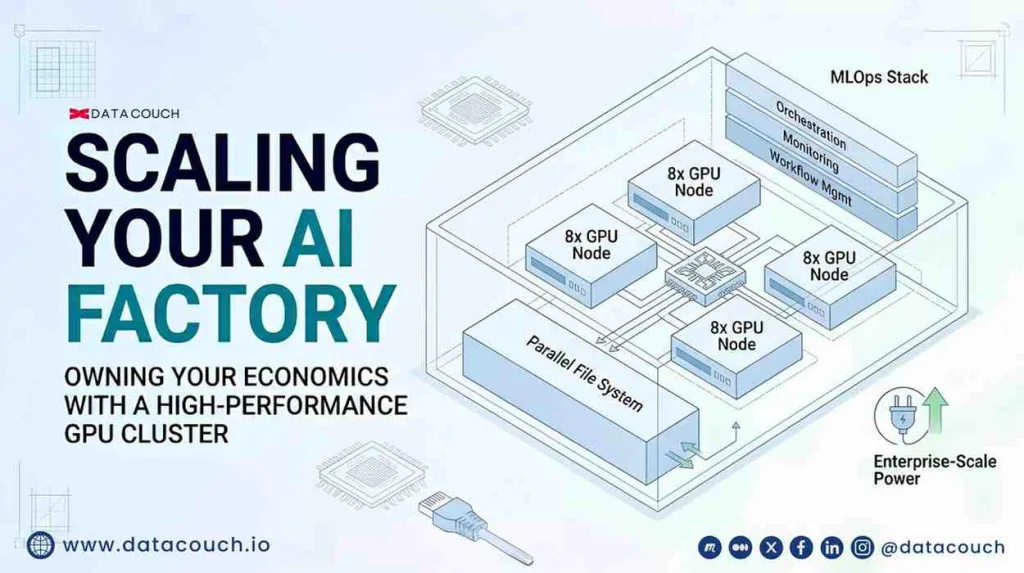
How to Build an On-Prem GPU Cluster: A Step-by-Step Enterprise Guide
An on-prem GPU cluster is a privately owned, interconnected group of GPU servers housed in your own data center or a colocation facility, designed to handle AI training, fine-tuning, and inference workloads without relying on public cloud infrastructure.
Building one is not as complicated as it used to be. The vendor ecosystem has matured. Reference architectures from NVIDIA are publicly documented. OEM solutions from Dell, HPE, Lenovo, and Supermicro are available as near-turnkey systems. What makes an on-prem GPU cluster hard is not procuring the hardware. It is making the right engineering decisions before procurement, so you are not rebuilding key parts of the system a year later.
This guide walks through every layer of an enterprise GPU cluster build: how to size the compute, how to design the network fabric, how to spec the storage, how to plan for power and cooling, and how to stand up the software stack that makes all of it operational. Each step includes the numbers and specifications your team needs to make defensible decisions, not just directional ones.
The AI data center GPU market grew from $11.12 billion in 2025 toward a projected $32.30 billion by 2030, reflecting 23.8% annual growth. The enterprises building their own clusters now are positioning themselves to own their AI economics over that entire window. Here is how to do it right.
Step 0: Define Your Workload Before You Touch a Spec Sheet
The Most Expensive Mistake in Cluster Builds
Most enterprise GPU cluster projects begin with a hardware conversation. A vendor presents an H100 configuration. The IT team gets excited. A purchase order gets approved. Then, six months after installation, the team discovers the cluster is sized for training workloads, but their actual production need is continuous inference, which requires a completely different GPU-to-storage ratio and a different networking topology.
Every component decision in a GPU cluster, from GPU count to interconnect fabric to storage tier to power envelope, cascades into the performance, cost, and reliability of every workload that runs on it for the next three to five years. Getting the workload profile wrong costs more than any individual hardware mistake. Define it first.
The Four Questions Your Team Must Answer Before Hardware Procurement
- What is your primary workload type? Training from scratch (most compute-intensive, requires large multi-node clusters), fine-tuning (can run on a single 8-GPU node for 70B models using QLoRA), or continuous inference (24/7, latency-sensitive, benefits from Blackwell efficiency). Each has a different optimal hardware profile.
- What is your target model size? Fine-tuning a 70B model using QLoRA fits on a single 8-GPU node with 640 GB of VRAM. Pre-training a 70B model from scratch requires multi-node clusters of at least 32 to 64 H100 GPUs running for weeks. Knowing your model tier determines your minimum viable cluster size.
- What is your token volume and utilization target? Below 40% utilization, on-prem hardware generates idle cost. Above 60 to 70%, it outperforms the cloud on TCO. Size for the utilization rate you can actually sustain, not the peak you aspire to.
- What are your compliance and data residency requirements? HIPAA, SOX, ITAR, India’s DPDPA 2025 Rules, and EU AI Act provisions may constrain where data can be stored and processed. These requirements affect facility selection, network segmentation design, and which software stack components you can use.
Step 1: Choose Your GPU Hardware
The 2026 GPU Landscape: Three Generations in Play
In 2026, enterprise GPU procurement spans three NVIDIA architecture generations, each suited to different workload profiles and budget envelopes.
| GPU | Architecture | VRAM | Key Strength | 2026 Price Range | Best For |
|---|---|---|---|---|---|
| H100 SXM5 | Hopper | 80 GB HBM3 | Proven, widely supported, strong training performance | $25K to $30K per GPU | Training, fine-tuning, and cost-sensitive builds |
| H200 SXM | Hopper+ | 141 GB HBM3e | 70% more memory than H100, 4.89 TB/s bandwidth | ~$35K to $40K per GPU | Large model inference, memory-constrained workloads |
| B200 SXM | Blackwell | 192 GB HBM3e | 15x inference vs H100, 25x lower energy per inference | $45K to $50K per GPU | High-throughput inference at scale |
| L40S PCIe | Ada Lovelace | 48 GB GDDR6 | Cost-efficient inference, space-constrained deployments | $8K to $12K per GPU | Edge inference, smaller enterprise deployments |
A hybrid approach is recommended for most enterprise builds in 2026: use H100 or H200 GPUs for training and fine-tuning workloads, and B200 or B300 for inference and deployment tasks where Blackwell provides the largest throughput and latency gains. A single B200 delivers the inference performance of approximately five H100 nodes, which significantly changes the cluster sizing math for inference-heavy production environments.
Important Procurement Warning: Lead Times
In early 2026, lead times for large-scale enterprise GPU orders remain between 9 and 12 months due to shortages in high-bandwidth memory and advanced packaging capacity. Major cloud providers are consuming approximately 70% of the global HBM supply to fuel their internal AI clusters. If your project timeline is under 12 months, factor this into whether on-prem procurement is feasible or whether a hybrid approach, starting with cloud capacity, makes more sense while hardware is delivered.
An 8-GPU Node: The Standard Enterprise Starting Point
For most enterprise teams building a first cluster, an 8-GPU server node is the reference configuration. A realistic 3-year TCO for an 8x H100 SXM5 server includes:
- Hardware acquisition: $300,000 to $450,000 for the server itself,f depending on OEM (Dell, HPE, Lenovo, Supermicro) and configuration.
- Networking: $50,000 to $100,000 per rack for InfiniBand HDR or NDR switching, or $20,000 to $40,000 for a properly tuned RoCEv2 Ethernet fabric at the same GPU count.
- Power: Each H100 SXM5 draws approximately 700W at peak. An 8-GPU system needs 8 to 10 kW, adding $8,000 to $15,000 per year in electricity at US commercial rates.
- Staff: 0.5 FTE of infrastructure engineering time costs $225,000 to $300,000 over three years. This is the single largest hidden cost that most on-prem budget models underestimate.
- Rack space: $1,000 to $5,000 per month in colocation fees for a 4 to 8 GPU system, or allocated internal data center cost.
Want your team trained to design and operate on-prem AI infrastructure?
Explore DataCouch's AI and ML Engineering programs, including GPU infrastructure, SageMaker MLOps, and enterprise AI architecture.
Step 2: Design the Network Fabric
Why Networking Is the Cluster's Real Performance Bottleneck
In a GPU cluster, GPUs communicate internally over NVLink at 900 GB/s. That is extremely fast intra-node. The problem is inter-node communication: when a training job spans multiple servers and gradient synchronization has to travel across the network fabric, insufficient inter-node bandwidth causes GPUs to sit idle waiting for data instead of computing. The cluster’s overall throughput is capped not by the GPUs but by the weakest network link in the path.
This is the insight that most blog posts on GPU cluster building skip. The GPU spec sheet gets all the attention. The network fabric, which determines whether those GPUs can actually work together at their rated performance, gets treated as an afterthought.
InfiniBand vs RoCEv2: The Real Tradeoff
Most H100 and H200 GPU clusters use 4 to 8 ports of 400G InfiniBand per server to ensure sufficient bandwidth for distributed training collectives. NVIDIA’s NDR 400G InfiniBand is the gold standard for low-latency, lossless networking in training clusters. But it is not automatically the right choice for every enterprise deployment.
For clusters under 128 GPUs, RoCEv2 with expert configuration is almost always the cost-optimal choice. A properly tuned RoCEv2 fabric with PFC, ECN, DSCP marking, MTU 9000, and DCQCN all configured correctly delivers equivalent performance to InfiniBand for most training workloads. Meta’s documented conclusion after running both at scale was that properly tuned RoCEv2 and InfiniBand deliver equivalent training performance. And a 32-GPU cluster shows InfiniBand costing approximately $600,000 more over three years than a properly configured RoCEv2 fabric, a gap large enough to fund four additional H100 GPUs and three years of operating budget.
Topology: The Rail-Optimized Spine-Leaf Design
The standard network topology for scalable GPU clusters is a rail-optimized Clos spine-leaf design. Here is what that means practically. Each GPU in an 8-GPU server connects to a separate leaf switch through its own dedicated network rail. No GPU shares a leaf switch uplink with another GPU on the same server. This design ensures that NCCL all-reduce operations (the dominant communication pattern in distributed training) can stripe traffic evenly across all available paths, eliminating the bottleneck that appears when multiple GPUs compete for the same uplink.
- Tensor parallelism rule: always runs within the NVLink domain of a single node. Engineering teams that split tensor-parallel operations across nodes multiply communication latency by 100 to 1,000 times compared to intra-node NVLink. This is one of the most common and expensive cluster design errors.
- Cable count formula: (servers x ports) / 2 breakout cables plus a similar count of inter-switch cables. For a 4-node, 32-GPU cluster with 8 ports per server, plan for 16 breakout cables plus 16 inter-switch cables.
- Blackwell networking requirement: B200 and B300 systems require 800 Gbps networking via ConnectX-8 SuperNICs. The existing 400 Gbps InfiniBand infrastructure requires an upgrade for Blackwell deployment.
Step 3: Spec the Storage Layer
The Silent GPU Killer: Storage I/O Starvation
Here is a cost impact number that most cluster build guides never mention. Storage I/O wait of just 20%, a common result of legacy NAS or poorly tuned parallel file systems, wastes $1,229 per day on a fully loaded 64-GPU cluster. Over a 12-month training program, that is $448,585 in wasted compute budget, money that paid for GPU time that was spent waiting for data instead of processing it.
All-flash parallel file systems that cost $200,000 to $400,000 typically pay back within six months of deployment through GPU utilization gains alone. Storage is not a secondary budget item in a GPU cluster. It is a performance multiplier that directly determines how much value you extract from the GPUs you already bought.
Storage Architecture for Enterprise AI Clusters
- Local NVMe for hot data: model weights, active training checkpoints, and inference cache should live on local NVMe drives attached directly to each GPU server. This provides the lowest possible I/O latency for data that GPUs need continuously.
- Parallel file system for shared datasets: distributed training jobs that span multiple nodes need a shared, high-bandwidth file system. VAST Data, WEKA, Luster, and IBM Spectrum Scale are the standard options for enterprise clusters in 2026. VAST’s disaggregated architecture separates compute from storage for capacity expansion and a unified namespace, delivering sub-200 microsecond metadata latency.
- Object storage for cold data: training datasets not in active use, model archives, and evaluation logs can live in object storage (MinIO on-prem or S3-compatible). Cost-efficient but not suitable for active training I/O.
- Checkpoint storage sizing: a 70B parameter model checkpoint in BF16 occupies approximately 140 GB. Multi-node training jobs save checkpoints every few hundred steps. Plan for 10 to 20 TB of fast checkpoint storage per active training job, with tiering to object storage for older checkpoints.
Minimum Storage Specs by Cluster Scale
| Cluster Size | Recommended Fast Storage | Checkpoint Storage | File System |
|---|---|---|---|
| 8 GPUs (1 node) | 10-20 TB NVMe local | 5-10 TB NVMe | Local FS or simple NFS |
| 32 GPUs (4 nodes) | 50-100 TB all-flash shared | 20-50 TB | VAST, WEKA, or Luster |
| 64+ GPUs (8+ nodes) | 200+ TB parallel all-flash | 100+ TB tiered | VAST, Spectrum Scale, Luster |
Step 4: Plan Power and Cooling Infrastructure
The Infrastructure Requirement Most Teams Discover Too Late
Power and cooling are the layer of GPU cluster planning that most IT teams underestimate until hardware arrives. A single 8x H100 SXM5 server draws 8 to 10 kW at peak. A 64-GPU cluster draws 64 to 80 kW continuously. Most enterprise server rooms are designed for 5 to 10 kW per rack. A production GPU cluster needs 20 to 40 kW per rack.
This is not a configuration detail. It is a facility constraint that can delay a cluster deployment by 6 to 12 months while electrical upgrades are completed. Assess your facility’s power capacity before hardware procurement, not after.
Air Cooling vs Liquid Cooling
H100 and H200 systems can be deployed in air-cooled environments with proper airflow planning. Blackwell systems are a different story entirely.
Blackwell B200 and B300 systems require liquid cooling as mandatory infrastructure. The Supermicro DLC-2 direct liquid cooling system captures 98% of the heat output from Blackwell hardware. Air cooling systems cannot dissipate the thermal load. Enterprises planning to deploy Blackwell GPUs must provision liquid cooling distribution units (CDUs) alongside the servers. A Blackwell SuperCluster unit (8 compute racks, 3 networking racks) includes 2 CDUs as a standard component.
- H100/H200 air-cooled: requires 208V or 415V three-phase power, front-to-back airflow with hot-aisle containment, and a minimum 20 kW per rack capacity. Standard enterprise data center designs can often accommodate this with rack-level upgrades.
- Blackwell liquid-cooled: requires CDU provisioning at 30 to 140 kW per rack, depending on configuration, facility water supply connections, and ORV3 rack form factor. This is a significant facility infrastructure project for any team that does not already have liquid cooling installed.
- PUE target: purpose-built colocation AI facilities achieve PUE as low as 1.1 with liquid cooling. Retrofitted enterprise data centers typically run 1.4 to 1.6 PUE. That efficiency gap is material at AI-scale power consumption. At 80 kW cluster draw, a PUE of 1.5 versus 1.1 represents approximately $20,000 to $30,000 in additional annual electricity cost.
Training your infrastructure engineers on GPU cluster operations and MLOps?
Explore DataCouch's Data Engineering and AI infrastructure courses covering enterprise AI data platform architecture and hands-on labs.
Step 5: Stand Up the Software Stack
Hardware Without Software Orchestration Is a Very Expensive Space Heater
A fully assembled GPU cluster is not an AI factory. It is a collection of compute nodes. The software stack is what transforms it into a production environment where workloads can be scheduled, monitored, versioned, and recovered from failure automatically.
The Five Software Layers Every Enterprise GPU Cluster Needs
Layer 1: GPU Drivers and CUDA Toolkit
Install NVIDIA’s data center drivers (not consumer drivers) and the CUDA toolkit version compatible with your target training frameworks. Use NVIDIA’s CUDA compatibility matrix to match driver version to PyTorch or TensorFlow requirements. Pin these versions in your infrastructure-as-code, so cluster rebuilds are reproducible.
Layer 2: Container Runtime and Orchestration
Run all workloads in containers. The NVIDIA Container Toolkit (nvidia-docker2) exposes GPU resources to containerized workloads. For orchestration, Kubernetes with the NVIDIA GPU Operator is the most widely deployed choice for enterprise clusters. It automates driver deployment, device plugin management, and GPU health monitoring across the cluster. For smaller teams, Slurm remains a reliable workload manager for HPC-style training jobs.
Layer 3: Distributed Training Framework
PyTorch Distributed Data Parallel (DDP) and DeepSpeed are the standard frameworks for multi-GPU and multi-node training in 2026. DeepSpeed’s ZeRO optimizer stages (ZeRO-1, ZeRO-2, ZeRO-3) partition optimizer states, gradients, and model parameters across GPUs, allowing models too large to fit on a single GPU to be trained across a cluster. For Blackwell-based clusters, FlashAttention-4 delivers up to 1.3x faster performance than cuDNN on Blackwell hardware and should be incorporated into the training stack from the start.
Layer 4: MLOps and Model Lifecycle Management
A GPU cluster without MLOps tooling produces untracked, unreproducible experiments. At minimum, deploy MLflow or Weights & Biases for experiment tracking, a model registry for artifact versioning, and Prometheus plus Grafana for real-time GPU utilization, memory, and temperature monitoring. Pre-built Grafana dashboards covering full-stack metrics across GPUs, storage, networking, and Kubernetes are available as open-source templates and should be deployed from day one, not retrofitted after the first production incident.
Layer 5: Job Scheduling and Cost Attribution
In a shared cluster, multiple teams compete for GPU time. Without a scheduling layer, the team with the most persistent SSH connection wins, which is not a resource allocation strategy. Kubernetes priority classes, Slurm partition rules, or a dedicated ML platform like Determined AI or Ray cluster manage job queuing, preemption, and fair-share scheduling. Cost attribution (tracking which team or project consumed which GPU-hours) is essential for FinOps governance in a multi-tenant cluster.
Step 6: Build for Observability and Fault Recovery From Day One
The Step That Gets Skipped -- Until Something Breaks
Most cluster build guides end at installation. Production cluster management begins after installation. The operational reality of running a GPU cluster is that hardware fails. GPUs overheat. Network links flap. Storage volumes degrade. NVLink connections become unstable. A cluster without automated health monitoring and fault recovery does not just lose the job that was running when the failure occurred. It loses the compute hours spent on that job since the last checkpoint, which can be hours or days of GPU time, depending on checkpoint frequency.
- GPU health monitoring: monitor GPU temperature, memory usage, PCIe error rates, and NVLink error counters continuously. Set automated alerts at threshold values before they become failures. NVIDIA’s DCGM (Data Center GPU Manager) provides the telemetry layer for this in enterprise deployments.
- Automated checkpoint recovery: configure distributed training jobs to save checkpoints every 100 to 500 steps and to restart automatically from the latest valid checkpoint on node failure. Without this, a hardware failure in a multi-week training run restarts from step zero.
- Self-healing and predictive failure detection: automated fault prediction and repair tooling can increase effective cluster utilization by 15 to 20% by reducing idle time caused by crashes and undetected hardware degradation. For a 64-GPU cluster at $4.00 GPU-hour, a 20% utilization improvement is worth approximately $1.8 million annually in recovered compute capacity.
- Remote management: deploy IPMI or BMC (Baseboard Management Controller) access on every server so your infrastructure team can restart nodes, update firmware, and diagnose hardware issues without physical access to the machine. For colocation deployments, this is essential.
The 5 Most Common On-Prem GPU Cluster Mistakes (And How to Avoid Them)
| Mistake | What Goes Wrong | How to Avoid It |
|---|---|---|
| Buying hardware before defining the workload | Cluster sized for training, but the team's real need is inference -- different GPU ratios, storage, and networking required | Define workload type, model size, and utilization target before touching a spec sheet |
| Underestimating the network fabric cost | Cheap unmanaged switches create latency bottlenecks that cap cluster throughput below 50% of GPU-rated performance | Budget $50K-$100K for proper InfiniBand or RoCEv2 fabric; treat networking as a first-class cluster component |
| Skipping the parallel file system | Storage I/O starvation wastes 20%+ of GPU compute time -- GPUs idle waiting for data | Deploy all-flash parallel storage (VAST, WEKA, Luster) and size checkpoints separately from training data |
| Planning air cooling for Blackwell hardware | Blackwell B200/B300 cannot be cooled by air; liquid cooling is mandatory -- facility delay of 6-12 months if not planned | Confirm GPU generation cooling requirements before facility design; Blackwell requires CDU infrastructure |
| No MLOps layer at launch | Experiments are untracked, models are unversioned, GPU utilization is invisible, and job failures restart from scratch. | Deploy MLflow, Prometheus, Grafana, and a scheduler (Kubernetes or Slurm) as part of the initial cluster commissioning. |
What Most Guides Ignore: The Team Skills Required to Run This
The Hardware Arriving Does Not Mean the Cluster Is Ready
An on-prem GPU cluster requires a specific set of operational skills that most enterprise IT teams were not built for. The gap is not about intelligence or effort. It is about the specific disciplines that GPU cluster operations demand:
- GPU driver and CUDA stack management: version pinning, compatibility matrices, and driver update procedures across a multi-node cluster require operational discipline that standard server management practices do not cover.
- InfiniBand or RoCEv2 network configuration: improperly tuned RoCEv2 fabric delivers 30 to 60% lower throughput than InfiniBand. The configuration gap, not the hardware gap, is what separates high-performing clusters from underperforming ones. Most enterprise networking teams know Ethernet, but not RoCEv2 fabric tuning.
- Distributed training debugging: when a multi-node training job fails, the error may originate from an NVLink fault, a network timeout, a CUDA out-of-memory event, or a checkpoint corruption. Diagnosing distributed failures requires skills that go beyond standard application debugging.
- FinOps for GPU compute: tracking GPU utilization, cost attribution across teams, and identifying idle compute requires FinOps practices that most enterprises apply to cloud spending but have never applied to on-prem infrastructure.
Building the team capability alongside the hardware is not optional. It is part of the infrastructure investment. The most important factor in cluster network performance is configuration quality, not hardware brand. The same principle applies to the entire stack. The team that operates the cluster determines its output, not the spec sheet.
Build your team's GPU infrastructure and MLOps skills alongside your hardware deployment.
Explore DataCouch's enterprise AI training programs covering GPU cluster operations, MLOps, and the full enterprise AI engineering stack.
Key Takeaways
Building an on-prem GPU cluster for enterprise AI is a five-layer engineering project, not a hardware procurement exercise. Here is what each layer requires to get right:
- Workload definition first: training, fine-tuning, and inference have different optimal GPU types, storage ratios, and networking topologies. Define the workload before the spec sheet.
- GPU hardware selection: H100 and H200 for training, B200 and B300 for inference. Blackwell delivers 15x inference performance over H100 but requires liquid cooling and 800 Gbps networking as mandatory infrastructure.
- Network fabric as a first-class component: rail-optimized spine-leaf topology, 400G InfiniBand or properly tuned RoCEv2. The fabric determines whether your GPUs perform at rated speed or idle, le waiting for data.
- All-flash parallel storage: Storage I/O starvation wastes up to 20% of GPU compute time. Parallel file systems pay back in under six months through utilization gains.
- Power and cooling planned before procurement: GPU clusters need 20 to 40 kW per rack. Blackwell requires liquid cooling. Facility upgrades take 6 to 12 months if not planned ahead of hardware delivery.
- Software stack from day one: GPU drivers, container runtime, distributed training frameworks, MLOps tooling, and a job scheduler must be deployed as part of commissioning, not retrofitted after the cluster is in use.
- Team skills are part of the infrastructure cost: cluster operations require GPU, networking, MLOps, and FinOps skills. The operational team determines the cluster’s actual output.
The enterprises that build successfully are the ones that treat this as a systems engineering project with a people layer, not just a capital expenditure with a delivery date. The hardware arrives in 9 to 12 months. The team’s capability that makes it productive needs to be built starting now.
The question worth asking your leadership team today: when your GPU cluster arrives, will your team have the skills to operate it at full utilization from week one, or will you spend the first six months learning infrastructure management on hardware that costs half a million dollars?



