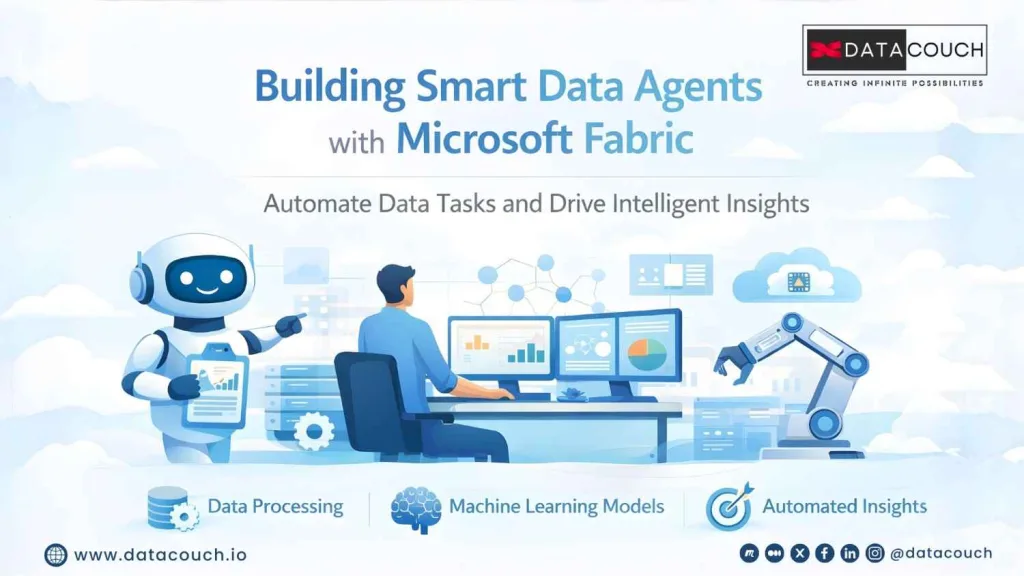
Build Autonomous Data Agents Using Microsoft Fabric
Imagine you’re a data analyst working late into the night, sifting through endless streams of data to extract insights that could help improve your company’s operations. The process is repetitive, time-consuming, and prone to human error. What if you could free yourself from this monotonous task? What if, instead of doing all the work yourself, you could create a system that automatically processes, analyzes, and even makes decisions based on the data?
Welcome to the world of autonomous data agents. With Microsoft Fabric, creating these intelligent agents has never been easier. Autonomous data agents are systems that use AI to automatically handle data processing, derive insights, and take actions based on the analysis, without requiring constant human intervention.
In this blog, we’ll show you how to build autonomous data agents using Microsoft Fabric, how they can revolutionize your data operations, and how they can empower businesses of all sizes to make quicker, smarter decisions.
What are Autonomous Data Agents?
Autonomous data agents are intelligent systems that can automatically perform tasks such as collecting data, processing it, analyzing it, and taking actions based on predefined criteria. These agents save businesses time, reduce the chances of human error, and provide faster, more reliable insights.
Why Choose Microsoft Fabric for Building Autonomous Data Agents?
Microsoft Fabric offers a powerful and seamless environment for building autonomous data agents. Here are some reasons why Fabric is the ideal platform for this purpose:
1. Seamless Integration with Azure Services
One of the standout attributes of Microsoft Fabric is its seamless integration with Microsoft’s cloud services. It’s designed to connect effortlessly with tools like Azure Synapse, Power BI, Azure Data Lake, and Azure Machine Learning. This level of integration allows you to build a fully connected data ecosystem within one platform.
With Fabric, you can ingest data, process it, run machine learning models, and deliver insights all within the same environment. The platform also supports real-time data analysis and updates, making it perfect for building data agents that need to react quickly to changing conditions.
2. Built for Scalable and Real-Time Data Processing
Microsoft Fabric is designed for scalable, batch and near real-time data processing, making it ideal for building autonomous data agents that need to handle large amounts of data across multiple sources. The platform’s architecture is flexible, allowing you to scale up or down relying on your data needs.
You can process data in real-time, ensuring that your autonomous agents can deliver instant insights. For example, if you’re running a predictive maintenance system for manufacturing, the agent can monitor machinery in real-time, analyzing sensor data and triggering alerts when a fault is detected.
3. Empowering Teams with AI & Machine Learning
The integration of Azure Machine Learning within Microsoft Fabric empowers teams to create and deploy custom AI models. These models are at the core of autonomous data agents. You can train these models using your historical data, and once deployed, the agents can start making decisions based on new, incoming data.
For instance, if you’re building a data agent for customer behavior analysis, the agent can anticipate what products a customer is likely to buy next, based on historical purchase data. The agent can then automatically personalize marketing messages, optimizing the customer experience without manual intervention.
4. Cost-Effective & Comprehensive
Unlike other platforms that require multiple services for different needs, Microsoft Fabric is a comprehensive solution that integrates everything you need into one platform. The pay-as-you-go pricing model ensures that you only pay for what you use, making it a cost-effective option for businesses of all sizes.
For small or medium-sized businesses, the ability to pay only for the services you use without a large upfront investment makes Microsoft Fabric an attractive choice. You don’t need a large team of data engineers or data scientists to start building autonomous agents; you can get started with minimal resources.
Want to enhance your AI experiences with multimodal systems?
Read our blog on Boosting AI Experiences with Multimodal, Multi-Agent Systems and learn more!
How to Build Autonomous Data Agents Using Microsoft Fabric: Step-by-Step
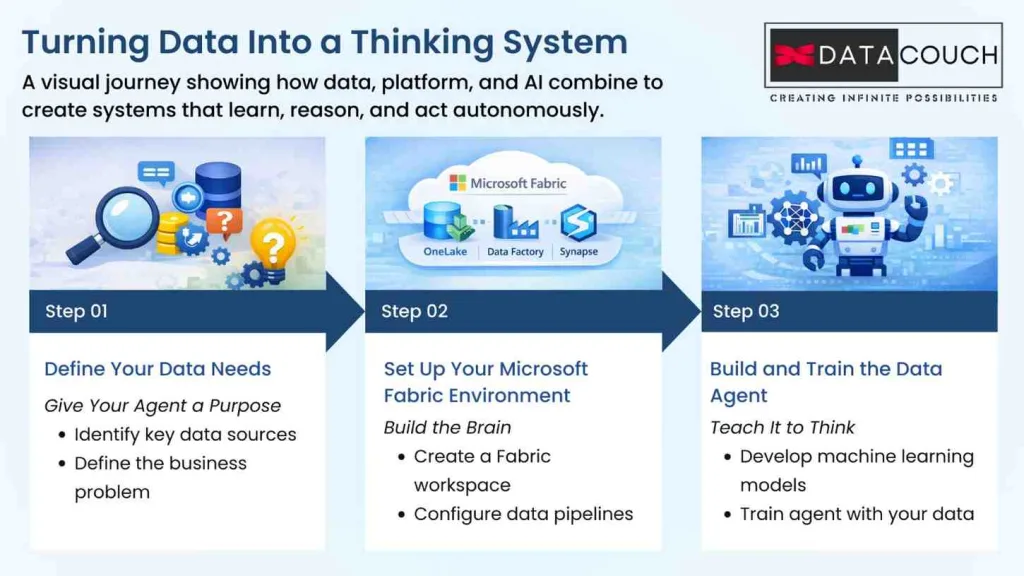
Now that you understand why Microsoft Fabric is ideal for creating autonomous data agents, let’s dive into the step-by-step process of building one.
Step 1: Define Your Data Needs
Before you begin creating an autonomous data agent, it’s important to clearly define the business problem you want to solve and the data sources that the agent will need to access.
What You'll Need:
- Data Sources: You’ll need to identify the sources from which your agent will pull data. This could be customer databases, sensors in manufacturing, social media data, or IoT devices.
- Business Problem: Clearly define the issue your autonomous agent will solve. Are you analyzing customer churn, predicting inventory needs, or monitoring system health?
By defining these key elements upfront, you ensure that your agent is focused on the right problem and has access to the data it needs to provide accurate insights.
Step 2: Set Up Your Microsoft Fabric Environment
Once you’ve defined your data needs, it’s time to set up your Microsoft Fabric environment. This is where all the magic happens. Microsoft Fabric provides everything you need to build your data agent, from data ingestion to model deployment.
What to Do:
- Create a Microsoft Fabric Workspace: Set up your environment in Azure, where you’ll configure your Data Lake, Data Factory, and Azure Synapse to store and process data.
- Configure Data Pipelines: Use Azure Data Factory to automate the flow of data from your sources to Fabric. You can create pipelines that transform and clean data before it’s ingested into the system.
At this stage, you’re essentially preparing the groundwork for the data flows that your autonomous agent will rely on.
Step 3: Build and Train the Data Agent
Now that you have your data pipeline set up, it’s time to focus on building and training your autonomous agent. This step involves designing a machine learning model that will process and analyze the data your agent will collect.
Tips:
- Use Azure AI and Azure Machine Learning to build models that comprehend historical data and apply those learnings to make decisions in real time.
- Training the agent involves feeding the model with data and teaching it to identify patterns or anomalies. For example, if you’re building an agent to predict equipment failure, the model will learn from past equipment performance data and predict when a machine is likely to fail.
What Most People Don't Realize About Autonomous Data Agents
1. They're Not Just for Large Enterprises
Many assume that building autonomous data agents requires huge budgets or is only for large enterprises. However, Microsoft Fabric is scalable and accessible for businesses of all sizes. Small and medium-sized businesses can leverage their tools without needing a large team of data engineers.
2. Building Agents Requires a Holistic Approach
A common mistake is focusing only on one aspect of the process, such as data pipelines or AI models. The real power comes when you integrate all the parts: data collection, cleaning, analysis, and model deployment into one system. Microsoft Fabric’s all-in-one platform makes this integration seamless.
3. The Challenge of Data Quality
Autonomous agents are only as good as the data they analyze. Ensuring your data is clean, accurate, and well-structured is crucial for successful agent performance. Microsoft Fabric provides tools to help you preprocess and validate your data before it’s used to train models.
Comparing Microsoft Fabric with Other Platforms
When considering building autonomous data agents, it’s essential to compare Microsoft Fabric with other leading platforms in the market. While Microsoft Fabric offers a robust set of features, let’s explore how it stacks up against alternatives like AWS SageMaker and Google Cloud AI.
| Feature | Microsoft Fabric | AWS SageMaker | Google Cloud AI |
|---|---|---|---|
| Integration | Seamless with Azure services | Strong integration within AWS | Best for users of Google Cloud |
| Data Processing | Supports both batch and real-time | Primarily batch processing | Primarily batch processing |
| Machine Learning | Built-in Azure Machine Learning | SageMaker Studio for model building | AI Platform for TensorFlow models |
| Ease of Use | User-friendly, Azure ecosystem | Steep learning curve for beginners | Easy for those familiar with GCP |
| Scalability | Highly scalable, suitable for all sizes | Best for large-scale enterprise data | Scalable, though suited for GCP |
Microsoft Fabric's Advantage:
- Integration with Azure: Unlike AWS and Google Cloud, Microsoft Fabric offers a seamless experience for those already using Azure’s ecosystem. This integration allows users to connect data from multiple sources (Azure Data Lake, Power BI, Synapse Analytics) without needing separate services.
- Real-Time Processing: Fabric excels at real-time analytics, an important feature when building autonomous agents that need to respond instantly to data changes. Many other platforms still rely more heavily on batch processing, which can cause delays.
Drawbacks:
- Learning Curve: While user-friendly in some aspects, Fabric still requires a certain level of expertise to set up and fully utilize its AI and machine learning capabilities.
Best Practices for Building Autonomous Data Agents
Building a successful autonomous data agent requires more than just coding and data collection. Here are some best practices to ensure that your agents deliver accurate, real-time insights.
1. Data Preprocessing is Key
One of the first steps in building autonomous agents is to ensure the quality of your data. Clean, structured data ensures that your agent is making accurate predictions and decisions. Without good data, even the most sophisticated model can fail.
Best Practice:
- Use Azure Data Factory to automate the cleaning and preprocessing of your data, ensuring it’s ready for use in AI models.
2. Focus on Model Monitoring
Once your autonomous agent is live, don’t just leave it running without oversight. Continuous monitoring is essential to ensure the agent’s decisions remain accurate over time, especially as data patterns change.
Best Practice:
- Use Azure Monitor to keep track of your agent’s performance, setting up automatic alerts if something goes wrong or if model accuracy starts to degrade.
3. Start Small and Scale
If you’re new to building autonomous agents, don’t aim for a full-scale project right away. Start with a small proof-of-concept agent, test it thoroughly, and then scale it up as you refine its capabilities.
Best Practice:
- Start with a pilot project focusing on one aspect of your business (e.g., predictive maintenance in manufacturing) before rolling out the solution more broadly.
Conclusion: The Future of Autonomous Data Agents
The world of autonomous data agents is growing fast, and with platforms like Microsoft Fabric, it’s easier than ever for businesses to harness the power of AI and automation. These agents not only save time but also allow organizations to make faster, smarter decisions. Whether in healthcare, retail, or manufacturing, autonomous agents are becoming integral to data-driven decision-making processes.
Ready to master Microsoft Fabric and build autonomous data agents?
Are you ready to take the next step in automating your data processes and building intelligent agents? The future of data analysis is here, and it’s time to unlock its potential.
DataCouch works with enterprise teams to design role-specific, project-based programs that build hands-on skills in autonomous data agents and AI-driven solutions. Book a confidential strategy call